

Safari.app
Start your digital journey
The best browser for your Mac is the one that is already there: Safari is fast and energy efficient.
Learn moreBushfire cleans up locally. These tools protect you on the network as well.
The best browser for your Mac is the one that is already there: Safari is fast and energy efficient.
Learn more
Bushfire stops browser data from piling up on your Mac for months or years – automatically after every session.
Download Bushfire
A VPN hides your real IP address and changes it in seconds – data collectors are left with nothing.
Learn more
Programs can send any data to any server. Little Snitch intercepts connection attempts and lets you decide.
Learn more
Malicious code can also reach your Mac through ads. Pi-hole blocks ads for every device on your network.
Learn more
A search engine that does not track your search activity.
Learn moreSafari itself offers plenty of options. Open Safari › Settings … and check the AutoFill, Search and Privacy tabs in particular.
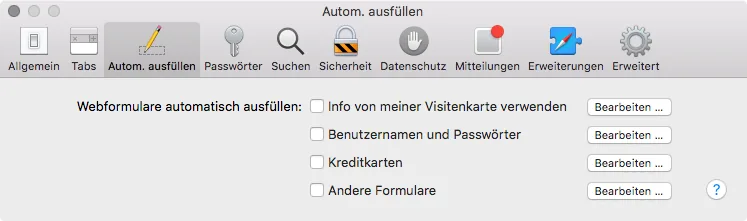
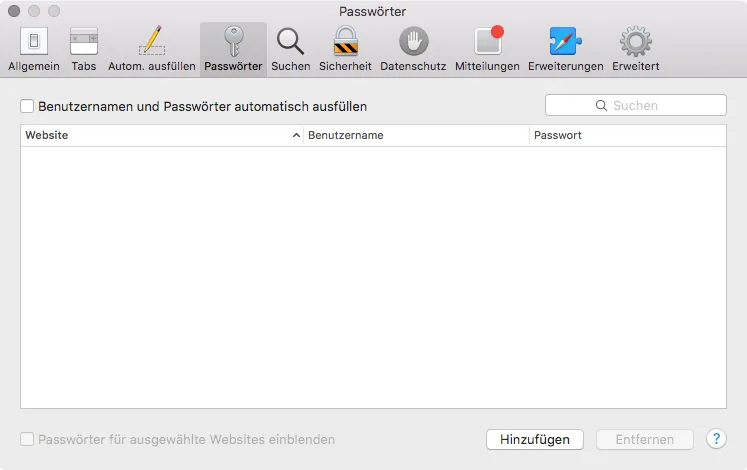
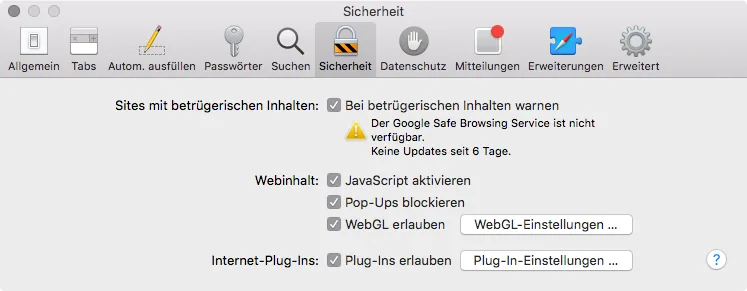
The apps and services mentioned are only one possible selection. Decide for yourself which tools suit you best. Trademarks and logos belong to their respective owners.
Privacy is no longer a niche, but essential digital basic hygiene – in Safari too. And that is exactly where most tools do not start.
A VPN hides your IP address. A firewall controls connections. An ad blocker keeps trackers out, and a private search engine does not remember your queries. All of them work on the path between your Mac and the network. What Safari then stores locally on your Mac is out of their reach: history, cookies, cache, downloads, top sites and website previews stay behind, day after day, year after year. Anyone with access to your device or your backup can reconstruct your browsing behavior from them.
Bushfire closes exactly this gap. The app runs quietly in the menu bar and automatically deletes the Safari data you choose when you quit Safari. No private mode you can forget, and no cleaning up by hand. Only what you want to keep stays on your Mac.
That is why Bushfire does not replace any of the other tools, but none of them replaces Bushfire. It completes any combination of VPN, firewall and ad blocker with the part nobody else covers. It is free, open source and works without an account.